New MonoGame template feedback
As discussed in the September Open Hours monthly meeting, the MonoGame Foundation is seeking feedback on a new style of Game template for creating Game projects, aiming to overcome the many complexities that come from our existing stock of templates, namely:
- No single template
- Platforms are separate
- Too much duplication
- Folder structure inconsistent
- Adding platforms is hard
To this end we have developed a few options for a single unified template (or at least the default layout for a new project).
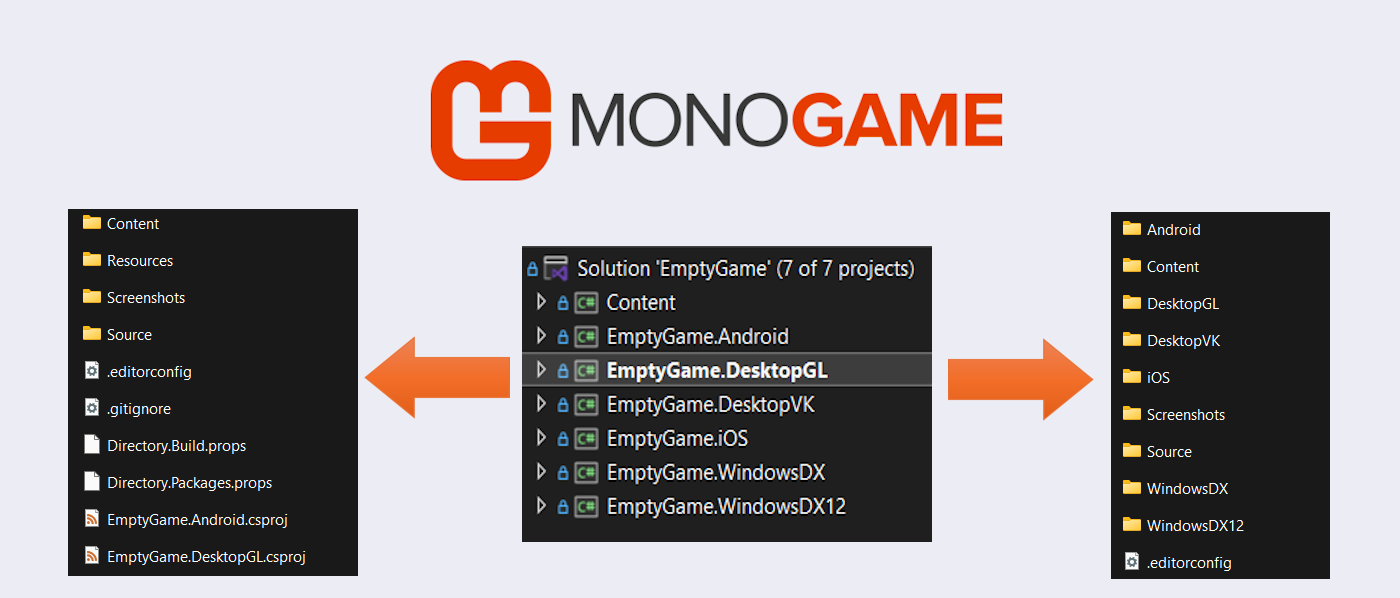
In the template repository you will find two paths we have devised with different folder structures and we are asking the community to help choose the future path.
The template on GitHub
The new templates are located in a single repository hosted on GitHub and is open for access to all:
MonoGame.EmptyGame.CSharp
In this repository you will find:
- A base README, explaining the problems today and the details/decisions behind the redevelopment of a new template.
- A folder for Option 1 - The Single folder solution (where all projects are in a root folder)
- A folder for Option 2 - The Multi-Folder solution (where each platform has its own dedicated folder)
Both have been tested extensively to date, but we need your help to try them out and decide which is the best approach for a new / clean project default.
Installing the templates
Now, .NET is a bit picky when it comes to testing new templates and requires them to be "installed" locally in order to allow you to create a new project from them, but this can be done safely and in isolation, so as not to interfere with your machine's setup.
Details are included with each template, which is essentially as follows:
-
Open up a command / terminal window in the folder for the template
-
Use the following commands to install the template into a "hive" (or scratch area)
dotnet new install . --debug:custom-hive ../mg-hive -
Then create a new project using the template
dotnet new mg-emptygame -n MyGame --Platforms gl -o ../MyGame --debug:custom-hive ../mg-hive
Using parameters to create your game
Note the parameters which allow you to select which platforms you want in your project, for full details of the parameters, use the --help argument
cli dotnet new mg-emptygame --help --debug:custom-hive ../mg-hive
There can be only one!
You can only have one template installed at a time with the same identity, so make sure to uninstall any you have installed before trying another, or when you are finished testing.
cli dotnet new uninstall mg-emptygame --debug:custom-hive ../mg-hive
Full details are included with each template.
Feedback
We have set up a Discussions area on the repository for providing feedback with a few pre-existing polls.
- Which folder structure to use? - for helping with the folder structure of choice.
- CSPROJ names, with the Game name or not? - for helping with how to "Name" individual platform projects.
- Issues with testing the templates? - for any issues while testing.
Join existing discussions first
Make sure to check existing responses before creating new topics.
Alternatively, raise an issue and we will respond to feedback.
Support
- Financially - several tiers and options available for GitHub, PayPal and Patreon.
- The MonoGame Store - MonoGame branded gear and merchandise.
Get Involved
- Code, we accept Pull Requests.
- Help in the Community discord and beyond (we also love blog posts).
- Bounties, Fix bugs and add features faster as well as get paid for your work :)
Onwards and Upwards
The MonoGame Foundation team